
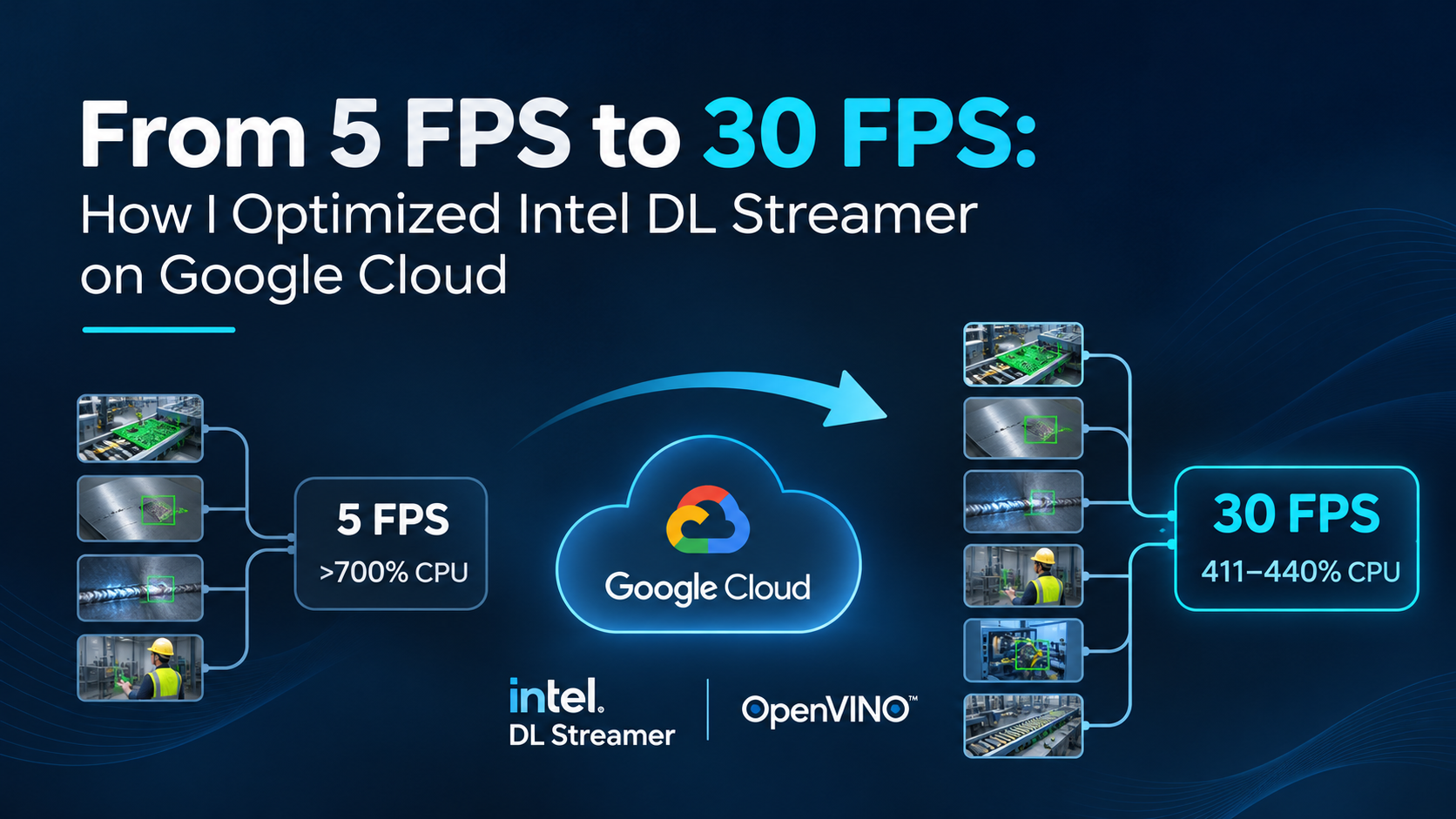
Four computer vision pipelines, eight Google Cloud vCPUs, and over 700% CPU utilization. That was my starting point with Intel DL Streamer. Despite consuming almost the entire machine, the application struggled to process video beyond 5–6 FPS.
I eventually moved from an n1-standard-8 to a c3-standard-8, optimized OpenVINO inference scheduling, and achieved approximately 30 FPS across six video pipelines while using only 411–440% aggregate CPU.
The improvement came from choosing a better processor and reducing unnecessary inference workload. Here’s how I approached it and what I’d recommend to engineers facing similar bottlenecks.
The Bottleneck: Running Inference on Every Frame
My application uses Intel DL Streamer, OpenVINO, and GStreamer for industrial video analytics. It handles PCB anomaly detection, metal surface defects, weld porosity classification, and worker safety monitoring.
Video arrives through RTSP, passes through GStreamer decoding and preprocessing, and reaches OpenVINO inference elements. The application then publishes detection metadata through MQTT for downstream processing and dashboards.
Initially, I ran four pipelines on an N1-standard-8 VM with these inference settings:
nireq=4
inference-interval=1
An inference interval of one processes every frame. At 30 FPS, four streams can generate 120 inference opportunities per second. Meanwhile, four concurrent inference requests per element can increase resource contention when CPU capacity is already exhausted.
Increasing concurrency doesn’t guarantee higher throughput. My CPU was saturated, and the pipeline couldn’t maintain the requested processing rate.
Why I Chose Google Cloud C3 Over N1
Both machine types offer eight vCPUs, but their processor architectures differ considerably.
Google Cloud C3 instances use fourth-generation Intel Xeon Scalable processors based on Sapphire Rapids. They support newer CPU instructions, DDR5 memory, and Intel Advanced Matrix Extensions (AMX), which can accelerate supported AI workloads.
| Specification | Before | After |
|---|---|---|
| GCP instance | N1-standard-8 | C3-standard-8 |
| vCPUs | 8 | 8 |
| Memory | 30 GiB | 32 GiB |
| Processor | Older Intel Xeon | 4th Gen Intel Xeon |
| Video pipelines | 4 | 6 |
I wouldn’t attribute every performance gain to AMX. That requires verifying the model precision and actual OpenVINO execution path. However, C3 provided a more capable CPU platform for the workload.
Three OpenVINO Settings That Made the Difference
After moving to C3, I configured the following values in my pipeline topology:
{
  "batch_size": 1,
  "nireq": 1,
  "inference_interval": 5
}
1. Inference Interval: 1 to 5
This was the most important workload reduction. Instead of analyzing every frame, DL Streamer performs inference on every fifth frame.
For a 30 FPS stream, the scheduled inference frequency drops from 30 to approximately six frames per second. Across six pipelines, that’s roughly 36 inference opportunities per second instead of 180.
The video pipeline can still process 30 FPS. However, 30 FPS video throughput doesn’t mean 30 neural network inferences per second.
Frame sampling introduces a detection trade-off. Fast-moving defects may disappear between inference frames. I would validate this interval against production-line speed, defect visibility, and acceptable false-negative rates before deploying it in critical inspection systems.
2. Nireq: 4 to 1
The nireq property controls the number of available inference requests, not CPU cores. More requests can improve throughput when hardware has spare capacity, but excessive concurrency can create contention.
I reduced it to one to keep inference execution controlled. This worked for my workload, although other models and processors may perform better with higher values.
3. Batch Size: 1
I used a batch size of one to prioritize predictable inference latency. Larger batches can improve throughput, but they may introduce additional waiting and memory requirements.
Configuring the DL Streamer Pipeline
My application defines GStreamer pipelines through JSON configuration. The detection pipeline decodes video, resizes frames to 640 × 360, executes inference, converts metadata, overlays detections, and sends frames to an application sink.
Here is a simplified GStreamer pipeline showing the optimized inference properties:
decodebin3 !
videorate !
video/x-raw,framerate=30/1 !
videoscale !
video/x-raw,width=640,height=360 !
gvadetect
  device=CPU
  inference-region=full-frame
  pre-process-backend=opencv
  batch-size=1
  nireq=1
  inference-interval=5
  name=detection !
queue !
gvametaconvert add-empty-results=true !
gvawatermark !
gvafpscounter !
jpegenc !
appsink sync=false
This is an illustrative pipeline fragment, not a standalone launch command. The Pipeline Server supplies the video source, model path, and runtime parameters.
My original pipeline definitions use device=AUTO:NPU,GPU,CPU. For CPU-specific benchmarking, I recommend explicitly selecting device=CPU and confirming the effective runtime properties.
I also use a shared NVR topology with model-instance identifiers. Compatible inference elements can share model resources, but different models shouldn’t share an instance identifier indiscriminately.
Performance Results: Before and After
| Metric | Before | After |
|---|---|---|
| VM | N1-standard-8 | C3-standard-8 |
| Pipelines | 4 | 6 |
| Video FPS | 5–6 | ~30 |
| CPU usage | >700% | 411–440% |
| Inference interval | 1 | 5 |
| Nireq | 4 | 1 |
Linux reports 100% CPU utilization per fully occupied logical CPU. My optimized deployment consumed approximately 4.1–4.4 vCPU equivalents while handling two additional streams.
This wasn’t an isolated CPU benchmark because I changed both the VM and inference settings. It was an end-to-end deployment improvement, not proof that C3 executes the model five times faster.
How to Benchmark Your Own Deployment
Before modifying anything, I recommend recording the CPU architecture, runtime version, and available inference devices.
lscpu

gst-inspect-1.0 gvadetect

python3 -c "from openvino import Core; print(Core().available_devices)"
Run the GStreamer and OpenVINO checks inside your pipeline container if that’s where the dependencies are installed.
Next, benchmark inference intervals of 1, 3, and 5 while keeping other settings constant. Compare CPU utilization, pipeline FPS, actual inference throughput, dropped frames, and p95 latency.
Most importantly, measure detection recall using labeled video. My configuration uses a confidence threshold of 0.9, but that value should also be validated against real production data.
Final Thoughts: Make Every CPU Cycle Count
This optimization reinforced something we strongly believe at Klyff: efficient systems aren’t necessarily the ones with the most resources. They’re the ones that make the best use of what they have.
We went from four pipelines struggling at 5–6 FPS with over 700% CPU utilization to six pipelines running at approximately 30 FPS with 411–440% CPU usage.
The improvement came from understanding the workload, selecting the right processor, and eliminating unnecessary inference work.
Of course, reducing inference frequency isn’t free. Detection quality still needs to meet the application’s requirements, especially in industrial environments where missing a defect can have real consequences.
At Klyff, that’s the balance we aim for: reliable industrial AI without wasting computation.
Because in production, performance isn’t just about how fast your system runs. It’s about how much useful work you get from every resource you pay for.
Frequently Asked Questions
Can Intel DL Streamer run on Google Cloud without a GPU?
Yes. Intel DL Streamer uses OpenVINO to run inference on supported Intel CPUs without requiring a dedicated GPU. In Klyff, I used CPU-based inference on Google Cloud C3 instances for industrial video analytics, including PCB anomaly detection, metal defect detection, and worker safety monitoring. Performance depends on the model, processor architecture, input resolution, and inference configuration.
Why did C3 perform better than N1 for OpenVINO?
Google Cloud C3 uses fourth-generation Intel Xeon Scalable processors with newer CPU instruction support and improved memory bandwidth. However, my results came from both the processor upgrade and changes to inference scheduling. I wouldn’t attribute the entire improvement to C3 without benchmarking identical configurations on both machines.
Does inference-interval=5 reduce detection accuracy?
It can. The setting performs inference on every fifth frame, reducing CPU workload but potentially missing short-lived defects. For industrial applications such as Klyff, I recommend selecting the interval based on object movement, camera frame rate, and defect visibility. Validate detection recall against labeled production footage before adopting aggressive frame sampling.
What is the best nireq value for OpenVINO CPU inference?
There is no universal value. I reduced nireq from four to one because my original workload was CPU-bound. Higher concurrency may improve throughput on servers with sufficient resources, but it can also increase contention. Benchmark multiple values using realistic stream counts and measure latency alongside FPS.
How can I optimize multiple RTSP streams using DL Streamer?
Start by profiling decoding, preprocessing, inference, and output encoding separately. Use compatible model-instance sharing where appropriate, avoid unnecessary inference on every frame, and monitor CPU utilization and pipeline latency. My Klyff deployment supported six video pipelines at approximately 30 FPS after tuning the inference workload and moving to C3.