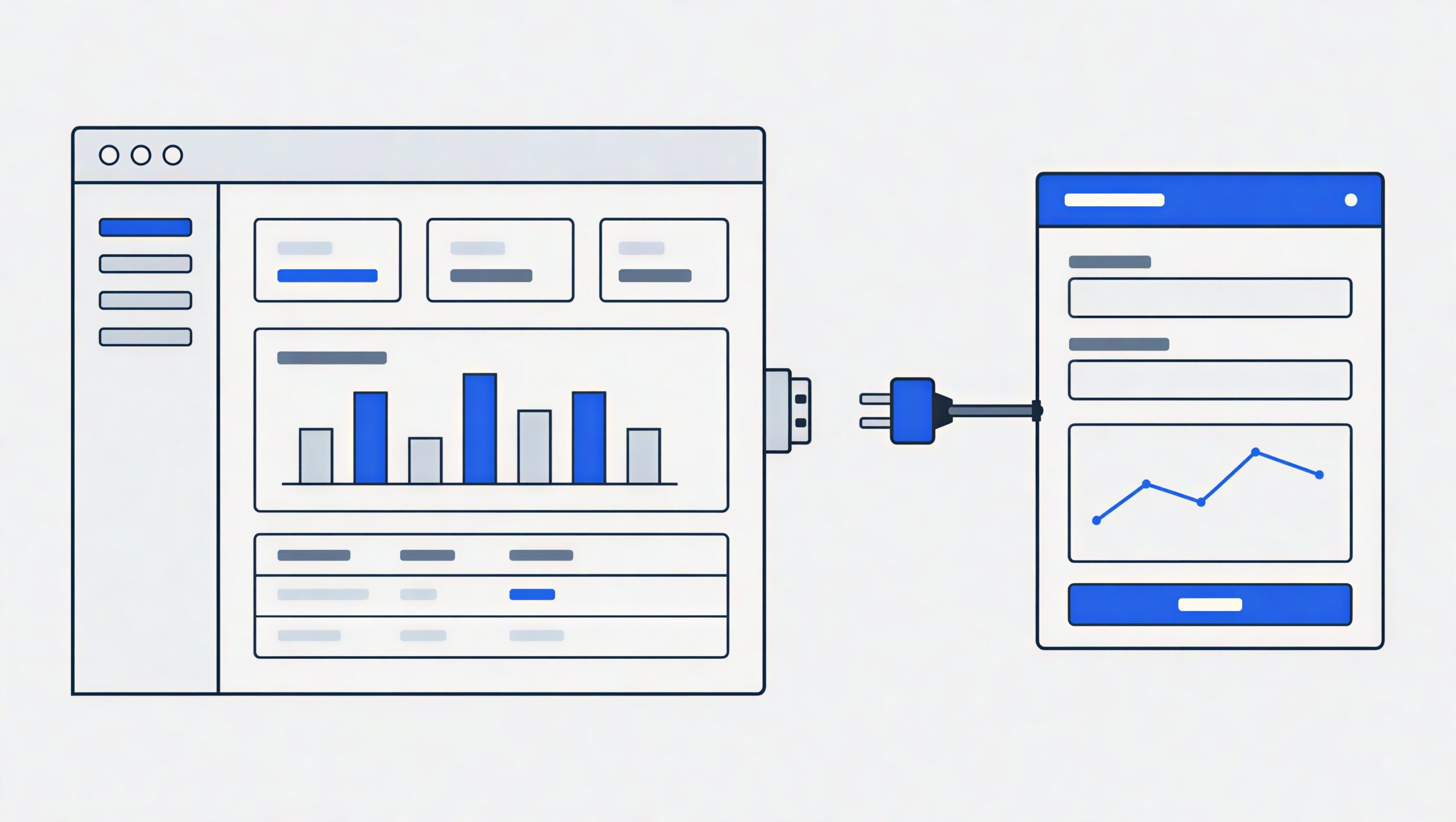
When you have to integrate your independent functionality with an application that you do not want to modify any line of its build configuration file, zero build-time coupling is what you are looking for.
In fact, this was the objective we had in mind while integrating ML Studio which is the main component of training and dataset preparation in Inspeqtr, within the Klyff environment.
In this blog, we will discuss our fundamental building blocks of this integration; dynamic runtime loading, host-remote contract, collision avoidance routing, and their operational considerations.
Why Zero Build-Time Coupling Matters
When planning this integration between Inspeqtr and Klyff, two core requirements shaped our architecture:
- Protected Host Toolchain: Klyff runs on an internal build system with environment-specific constants, custom deployment plugins, and legacy build steps. Forcing the host pipeline to import remote dependencies or share build-time configuration risked breaking a stable, working platform.
- Subscription-based Feature Isolation: ML Studio is a dedicated, specialized workspace rather than a default view for every user workflow. It functions as an optional capability that only relevant accounts and enabled environments need to access. We kept it completely decoupled so the host build remains lean, fast, and unburdened by heavy domain-specific code unless that specific feature flag or workspace is active.
We established a firm engineering boundary: the host build remains untouched, and the remote lives as an autonomous, pre-built bundle. If ML Studio is not provisioned for a customer, the host operates smoothly without ever needing to know the remote toolchain exists.
This required stepping away from complex shared tooling and leaning into a simpler, reliable setup: native dynamic imports combined with an explicit, observable lifecycle.
Dynamic Import With Lifecycle Hooks
Instead of tying both applications together during CI/CD, the host serves the remote bundle as an optional static asset and loads it at runtime using native browser ES module imports (import()).
To avoid cross-origin overhead, complex CORS policies, and external CDN downtime, the remote build artifacts are vendored directly into the host’s served static assets directory. Everything runs same-origin.
The remote bundle exposes two functional primitives: mount() and unmount(). Everything inside those functions belongs entirely to the remote.
The Host Loader
The host loader script handles dynamic asset fetching, retry backoff, and mount binding:
async function loadRemoteModule(entryUrl, containerElement, hostContext, { retries = 2 } = {}) {
  let attempt = 0;
  let lastError;

  while (attempt <= retries) {
    try {
      // Bust browser cache on explicit retry attempts
      const resolvedUrl = attempt === 0
        ? entryUrl
        : `${entryUrl}?retry=${Date.now()}`;

      const remote = await import(/* webpackIgnore: true */ resolvedUrl);

      if (typeof remote.mount !== 'function' || typeof remote.unmount !== 'function') {
        throw new Error('Remote bundle failed to export required lifecycle hooks.');
      }

      // Execute mount and pass down the host context
      const sessionInstance = await remote.mount(containerElement, hostContext);
      return sessionInstance;
    } catch (error) {
      lastError = error;
      attempt++;
      if (attempt <= retries) {
        await new Promise((resolve) => setTimeout(resolve, 350 * attempt));
      }
    }
  }

  throw new Error(`Failed to load remote after ${retries + 1} attempts: ${lastError?.message}`);
}
When an authorized, subscribing customer opens the studio workspace, the host initializes the module:
let currentRemoteSession = null;

async function mountMLStudioWorkspace(workspaceContainer) {
  try {
    // Loaded same-origin directly from the host's vendored static directory
    currentRemoteSession = await loadRemoteModule(
      '/assets/remotes/ml-studio/main.js',
      workspaceContainer,
      buildHostContext()
    );
  } catch (err) {
    renderFallbackErrorUI(workspaceContainer, err);
  }
}

async function teardownMLStudioWorkspace() {
  if (currentRemoteSession && typeof currentRemoteSession.unmount === 'function') {
    await currentRemoteSession.unmount();
    currentRemoteSession = null;
  }
}
Remote Dual-Boot Execution
During development, we need to run ML Studio as a standalone application without running the entire Klyff ecosystem. In production, the bundle must wait silently for the host’s mount signal.
A simple marker check in the remote entry file handles this without polluting business logic:
// entry.js
const STANDALONE_ROOT = '[data-inspeqtr-standalone-root]';

if (document.querySelector(STANDALONE_ROOT)) {
  // Standalone mode: initialize directly with local mock data
  bootstrapLocalDevelopment(document.querySelector(STANDALONE_ROOT));
} else {
  // Embedded mode: register directly to global registry or module export
  window.__REMOTE_REGISTRY__ = window.__REMOTE_REGISTRY__ || {};
  window.__REMOTE_REGISTRY__['ml-studio'] = { mount, unmount };
}

export async function mount(targetContainer, hostContext) {
  validateContract(hostContext);

  const appInstance = createMLStudioApplication(hostContext);
  appInstance.render(targetContainer);

  return {
    unmount: async () => {
      appInstance.teardown();
      targetContainer.innerHTML = '';
    }
  };
}

export async function unmount(targetContainer) {
  targetContainer.innerHTML = '';
}
Defining a Strict Host-Remote Contract
The highest operational risk in a decoupled micro frontend architecture lives at the boundary. If the host updates a data structure or changes an internal auth mechanism, the remote can fail silently in production.
We enforce a strict, typed host-remote contract. This boundary permits only primitive values, serializable plain objects, and asynchronous callbacks. Neither app is allowed to pass internal state store instances, class instances, or framework components across the boundary.
// Shared Contract Definition
interface HostContextV1 {
  readonly contractVersion: 1;
  readonly baseHref: string;
  readonly activeTheme: 'light' | 'dark';
  readonly userLocale: string;
  readonly currentUser: {
    readonly id: string;
    readonly permissions: readonly string[];
  };

  fetchAuthToken(): Promise<string | null>;
  onLocaleChange(callback: (nextLocale: string) => void): () => void;
  navigateHost(targetPath: string): void;
  updateBreadcrumbs(trail: Array<{ label: string; href?: string }>): void;
}
Building Context on the Host
The host populates this structure directly from its own internal services:
function buildHostContext(): HostContextV1 {
  return {
    contractVersion: 1,
    baseHref: '/workspace/ml-studio',
    activeTheme: themeService.getCurrentTheme(),
    userLocale: i18nService.getLocale(),
    currentUser: {
      id: userService.getProfile().id,
      permissions: userService.getProfile().assignedScopes,
    },
    fetchAuthToken: () => authClient.getValidBearerToken(),
    onLocaleChange: (listener) => i18nService.subscribe(listener),
    navigateHost: (path) => mainAppRouter.push(path),
    updateBreadcrumbs: (crumbs) => navigationBar.setBreadcrumbItems(crumbs),
  };
}
Validating Context on the Remote
Before ML Studio mounts its component tree, it checks the incoming object. If a required method is missing or the contract version has drifted, it halts immediately with an actionable error:
function validateContract(incomingContext: unknown): asserts incomingContext is HostContextV1 {
  const context = incomingContext as Partial<HostContextV1>;

  if (context?.contractVersion !== 1) {
    throw new Error(
      `Contract mismatch: ML Studio expects version 1, host provided version ${context?.contractVersion}`
    );
  }

  if (typeof context.fetchAuthToken !== 'function') {
    throw new Error('Host contract validation failed: missing fetchAuthToken method.');
  }

  if (typeof context.navigateHost !== 'function') {
    throw new Error('Host contract validation failed: missing navigateHost callback.');
  }
}
Keeping the handshake limited to raw data and functions means either side remains free to change internal libraries or framework versions in the future without breaking the integration.
Coordinating Micro Frontend Routing
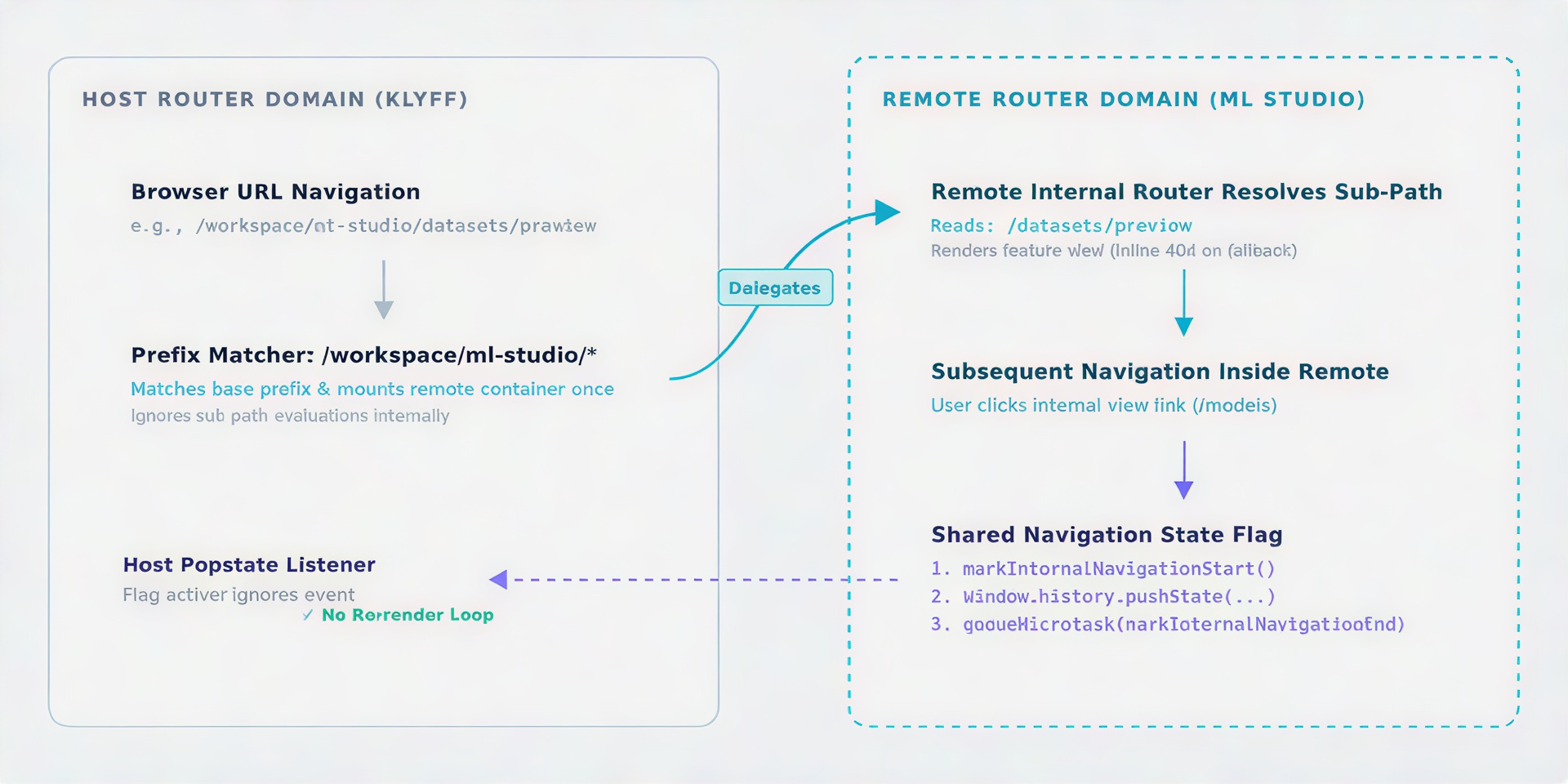
Because both applications run in the same browser window, they share a single window.history stack and one address bar. If both apps listen to popstate events without coordination, internal child navigations can cause the host to re-evaluate routes, creating erratic loops.
Path Prefix Partitioning
The host claims the top-level route and gives full sub-path authority to the remote child:
// Host router definition
hostRouter.registerRoute({
  path: '/workspace/ml-studio/*',
  component: MLStudioContainerComponent,
  preserveChildRoutes: true,
});
When a user moves between /workspace/ml-studio/datasets and /workspace/ml-studio/models, the host stays mounted. It delegates all nested path changes to the remote application.
State-Aware Navigation Flags
To prevent history event loops, we share a small navigation flag between routing listeners:
let internalNavigationActive = false;

export function beginInternalNavigation() {
  internalNavigationActive = true;
}

export function finishInternalNavigation() {
  queueMicrotask(() => {
    internalNavigationActive = false;
  });
}

export function isNavigatingInternally() {
  return internalNavigationActive;
}
We wrap native window.history.pushState to dispatch an event only when navigation is driven from outside the remote:
const nativePushState = window.history.pushState.bind(window.history);

window.history.pushState = function(...args) {
  const output = nativePushState(...args);
  if (!isNavigatingInternally()) {
    window.dispatchEvent(new CustomEvent('host-external-navigate'));
  }
  return output;
};

window.addEventListener('popstate', () => {
  if (isNavigatingInternally()) {
    return;
  }
  syncRemoteRouter(window.location.pathname);
});
Inside ML Studio, all internal transitions pass through this wrapper:
function navigateInternally(targetUrl) {
  beginInternalNavigation();
  remoteInternalRouter.navigate(targetUrl);
  finishInternalNavigation();
}
One critical rule to enforce: the remote router’s catch-all route must render an inline “Not Found” state. It should never issue an automatic redirect to a home path, because unexpected redirects during browser back button presses create race conditions with the host history.
Isolating Styles and Portal Overlays
When a child application mounts into a host page, global typography rules, CSS resets, and utility classes can collide.
We protect the workspace using a root scoping class with direct CSS property resets:
/* Applied directly to the remote container root */
.remote-boundary-root {
  all: initial;
  font-family: -apple-system, BlinkMacSystemFont, "Segoe UI", Roboto, sans-serif;
  color: #1f2937;
  line-height: 1.5;
}

.remote-boundary-root * {
  box-sizing: border-box;
  text-transform: initial;
  letter-spacing: normal;
}
Scoping Dynamic Portals
Components rendered outside the main root (such as dropdowns, tooltips, and modal overlays attached to document.body) escape this boundary.
To maintain style isolation, dynamic portal elements are always injected into a designated container carrying the scoping class:
export function getOrCreateOverlayRoot() {
  let overlayContainer = document.getElementById('inspeqtr-overlay-root');

  if (!overlayContainer) {
    overlayContainer = document.createElement('div');
    overlayContainer.id = 'inspeqtr-overlay-root';
    overlayContainer.classList.add('remote-boundary-root');
    document.body.appendChild(overlayContainer);
  }

  return overlayContainer;
}
Operational Trade-Offs
Zero build-time coupling gives you architectural isolation, but it comes with real operational trade-offs:
| Architecture Reality | Operational Impact | Practical Mitigation |
| Independent Dependency Bundling | Each app bundles its own runtime libraries, increasing initial download payloads. | Aggressive caching of static bundles, tree-shaking, and lazy loading nested features. |
| Manual Contract Versioning | Schema changes across repos are not validated by a shared build compiler. | Strong TypeScript types, mount-time contract validation, and clear semantic versioning. |
| Static Asset Synchronization | New remote releases require updating the vendored assets served by the host. | A streamlined sync step copies new build artifacts into the host repo before deployment. |
| Runtime Boundary Errors | Missing callbacks or contract version mismatches appear in user sessions. | Strict fail-fast checks at mount time and structured integration tests on release candidates. |
Frequently Asked Questions
Do micro frontends require Webpack Module Federation?
No. While Module Federation is popular for sharing packages across builds, native dynamic imports combined with explicit lifecycle methods provide an isolated alternative when build pipelines cannot be unified.
How does this architecture fit our deployment cycle?
ML Studio ships on its own release schedule. A lightweight sync step brings the updated build artifacts into the host’s served static assets directory. This avoids a complex host rebuild while ensuring assets are served safely from the same origin.
Can host and remote share third-party dependencies dynamically?
No. In our setup, each side bundles its own runtime by design. While sharing dependencies reduces payload size, it reintroduces runtime version lock-in and testing overhead. Bundling independently keeps each side fully isolated.
How do you prevent routing collisions across apps?
The host router allocates a single base route prefix to the remote and ignores internal sub-paths. A shared navigation flag ensures the host and child app do not trigger duplicate browser history events.